About Game - Keep Zombie Away
Keep Zombie Away is a dorm survival-defense game you can play free in the browser. The loop is the same family as Haunted Dorm: you take an empty room, stay in bed for coins, Repair the door, and put buildings on the grid before a hat zombie breaks in. The hub is a night schoolyard with Start game, Skins, and a gacha Shop. The first minutes feel tighter — you need coins in the bank before lv.2 wooden door and lv.1 turrets actually land.
How to Play - Keep Zombie Away
Your first match is I know on the dorm rules, Start game, an empty bed before the red countdown hits zero, and a wooden door that has to last.
- 1Tap I know — Dormitory Announcement lists six rules: leave the corridor on a red countdown; do not enter a taken room; go to bed and stay there even if the door is hit; Repair a breaking door; do not look into a dark room; no filming. Coins on the hub start at 0.
- 2Start game on the hub — The title sits over a night building with a green-lit doorway. Skins is a girl on the left. Shop is a capsule machine on the right. Start game is the red-outline text at the bottom.
- 3Enter an empty room before the zombie — Task 1 reads “The zombie is coming soon. Enter a room that has no one inside and go to the bed.” A red 26 can sit on you in the hall. Drag the virtual stick. A taken bed is not yours.
- 4Stay in bed for coins — Sleeping shows +2 gold at first, later +32. The announcement says stay in bed even when the door is under attack. Standing in the hall makes no coins.
- 5Repair, then Upgrade to lv.2 wooden door — A hat zombie in a blue robe waits at the frame. A green bar sits on the door. Repair is the green wrench. A mission can ask 3. Upgrade to lv.2 wooden door. Claim is the green underline next to the task.
- 6Build 2 lv.1 turrets — A later task is 6. Build 2 lv.1 turrets. Grey valve turrets sit on the inner wall. A round machine can show +2 lightning. HUD coins and lightning sit top-left (for example 123 and 30).
- 7Open Shop, use Golden Bell on purpose — Shop tabs are Mysterious, Advanced, and Shop. Mysterious: Devil Hand 20 (30% stun for 3s when the zombie releases the skill), Solid Shield 50 (when door endurance is lower than 30%), Thief 20 (turret generates coins while attacking), Adhesive 30 (slows the zombie’s attack speed by 20%). Golden Bell is the blue shield with a camera — an ad.
Core gameplay
One room, two match currencies, a wooden door in the hall, and a Shop that sells skills. Sleep pays the grid; Repair keeps the bar green.
Bed and coins
Coins only tick while you are in bed. Early sleep is +2. A built-up room can show +32. Lightning sits next to gold (0 at the start of a run, 30 later). An energy machine in the room can add +2 lightning.
Wooden door and Repair
The hat zombie hammers from the hall. Repair is the green wrench. Upgrade to lv.2 wooden door is an early mission. If the green bar is dropping, Repair comes before you fill every tile.
Lv.1 turrets
Build 2 lv.1 turrets is a numbered task. The turrets are grey bases with red tops along the inner wall. Thief in Shop makes a turret generate coins while it attacks. Empty floor is not a reason to spam buildings while the door is cheap to lose.
Mysterious Shop
Mysterious lists Devil Hand, Solid Shield, Thief, and Adhesive at 20 / 50 / 20 / 30. Own counts can already show 1. Advanced and the third Shop tab sit next to Mysterious; the captured screen is Mysterious only.
Tighter than the first Haunted Dorm minutes
The loop is the same family — bed, door, buildings — but the opening asks you to stack coins before lv.2 door and turrets. Golden Bell is an optional ad, not a free clear. Roommate portraits at the top show You; red X means that bed is already gone.
Look and setting
Keep Zombie Away is a dark cartoon school dorm: a night hub with a green doorway, then a top-down brown grid against black halls.
Hub, Skins, Shop
The hub is a clock-tower building at night, chibi students, Start game, Skins on the left, and a gacha Shop on the right. Dormitory Announcement covers that yard until you tap I know.
Room, hall, hat zombie
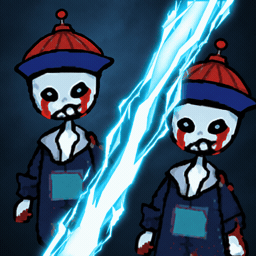
Rooms use tan hex tiles or dark wood. The zombie at the door wears a tall hat and a blue robe. You are a small figure in bed or a purple-hair girl in the hall under a red countdown.
Reading the HUD
Top-left is gold and blue lightning. Portraits show You. Tasks such as Upgrade to lv.2 wooden door or Build 2 lv.1 turrets sit in the center with Claim. Bottom-right is Golden Bell (camera) and Repair, plus a virtual stick in the hall.
Tips
Early losses come from standing in the hall during the red countdown, entering a taken bed, or ignoring Repair while the wooden door is already dropping.
Beat the red countdown first
When 26 (or another red number) sits on you, stop browsing the hub art. Task 1 wants an empty room and the bed. A taken bed is a reboot or a leave, not extra coins.
Stay in bed
The announcement says stay in bed even if the door is hit. +2 only happens on the mattress. Repair is a button; walking to the frame is not.
Lv.2 wooden door before a turret line
Mission 3 is Upgrade to lv.2 wooden door. Mission 6 is Build 2 lv.1 turrets. Spend the first 48 coins on the door if the green bar is already moving. The start is tighter until those upgrades land.
Repair is the wrench, Golden Bell is an ad
Repair is free of a camera icon. Golden Bell has a camera. Use Repair when the bar drops. Golden Bell is optional and costs a video.
Read Mysterious prices before you tap
Devil Hand and Thief are 20. Adhesive is 30. Solid Shield is 50 and only mentions door endurance below 30%. Shop gold is the square-hole coin on that screen, shown as 0 if you opened it from the hub.